Introducing Executions: Run, Track, and Audit Your Manual Playbooks in One Place
From scattered coordination and incomplete records to structured, collaborative, fully audited execution of manual procedures.

Running a manual response procedure sounds straightforward. In practice, it rarely is.
Your team gets an alert. Someone needs to run the phishing response procedure. Steps need to be assigned, progress needs to be tracked, and at the end of it, there needs to be a clear record of what happened.
Most teams handle this across a combination of tools. A ticket here, a message thread there, notes in a shared document. It works until it does not, and when it does not, usually under pressure, the gaps become visible. Steps get missed, ownership is unclear, and putting together a coherent account of what happened requires effort that should be going elsewhere.
That is the problem Executions is designed to address.
Introducing Executions
Executions is the capability in Cymph that lets teams run manual procedures in a structured, collaborative, fully audited environment. Every step is tracked in real time, every action is recorded automatically, and the full sequence is preserved in a workbook when the execution is complete.
It covers the procedures that live outside your SOAR. Executions is not automated orchestration. It is structured human execution for the steps that require a person to act, decide, or verify.
Cymph already gives teams the tools to identify response gaps, build and organise procedures to close them, and map coverage across security frameworks. Executions adds the operational layer that lets those procedures be put to use, inside the same platform.
How Executions works
Starting an execution
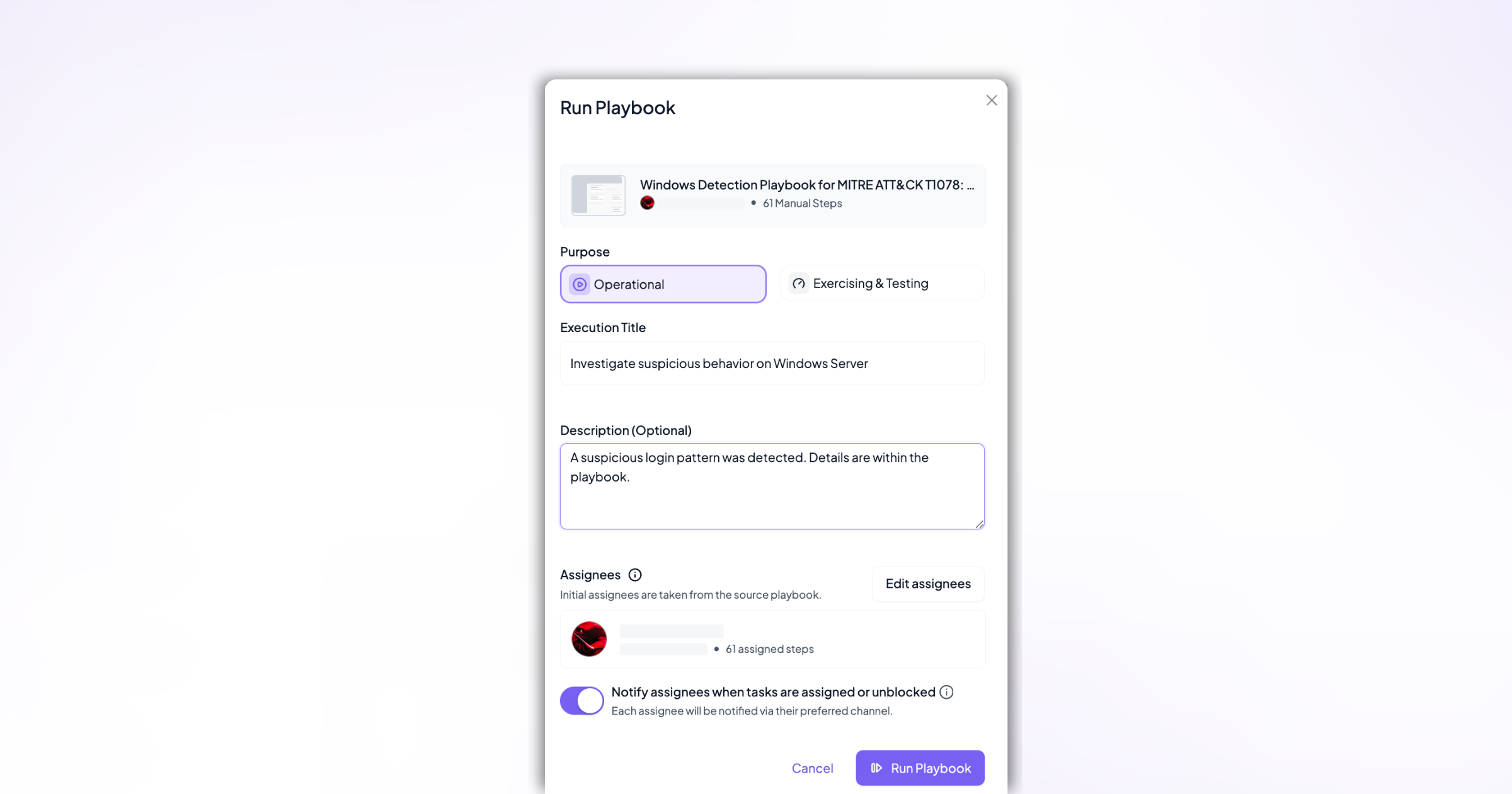
Any eligible procedure in Cymph can be submitted for execution in a few steps. From the procedure, the execution owner opens the action menu, names the execution, selects its purpose, and reviews the assignees. The execution opens immediately, with each step pre-assigned based on the source procedure.
Tracking progress across the team
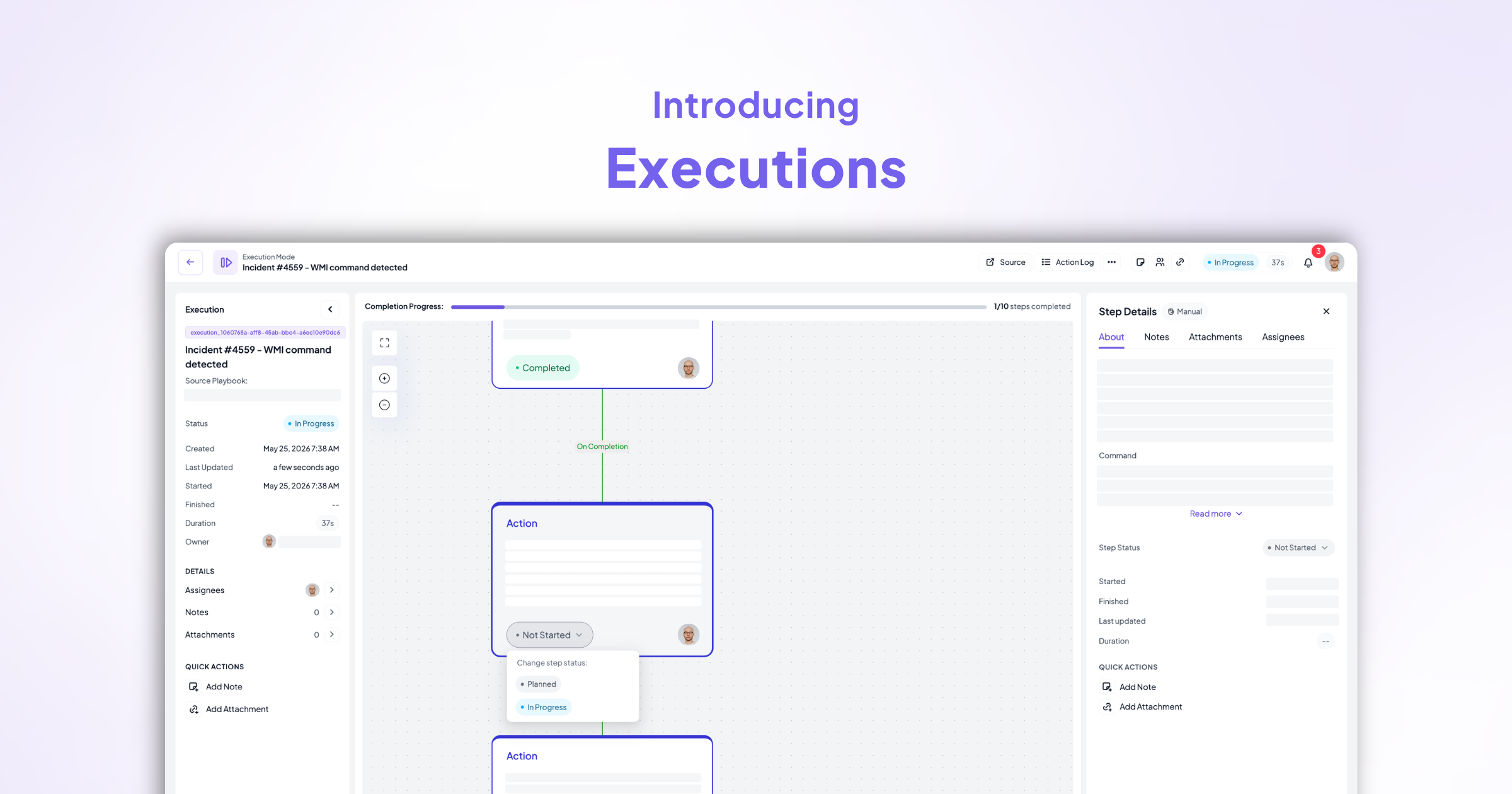
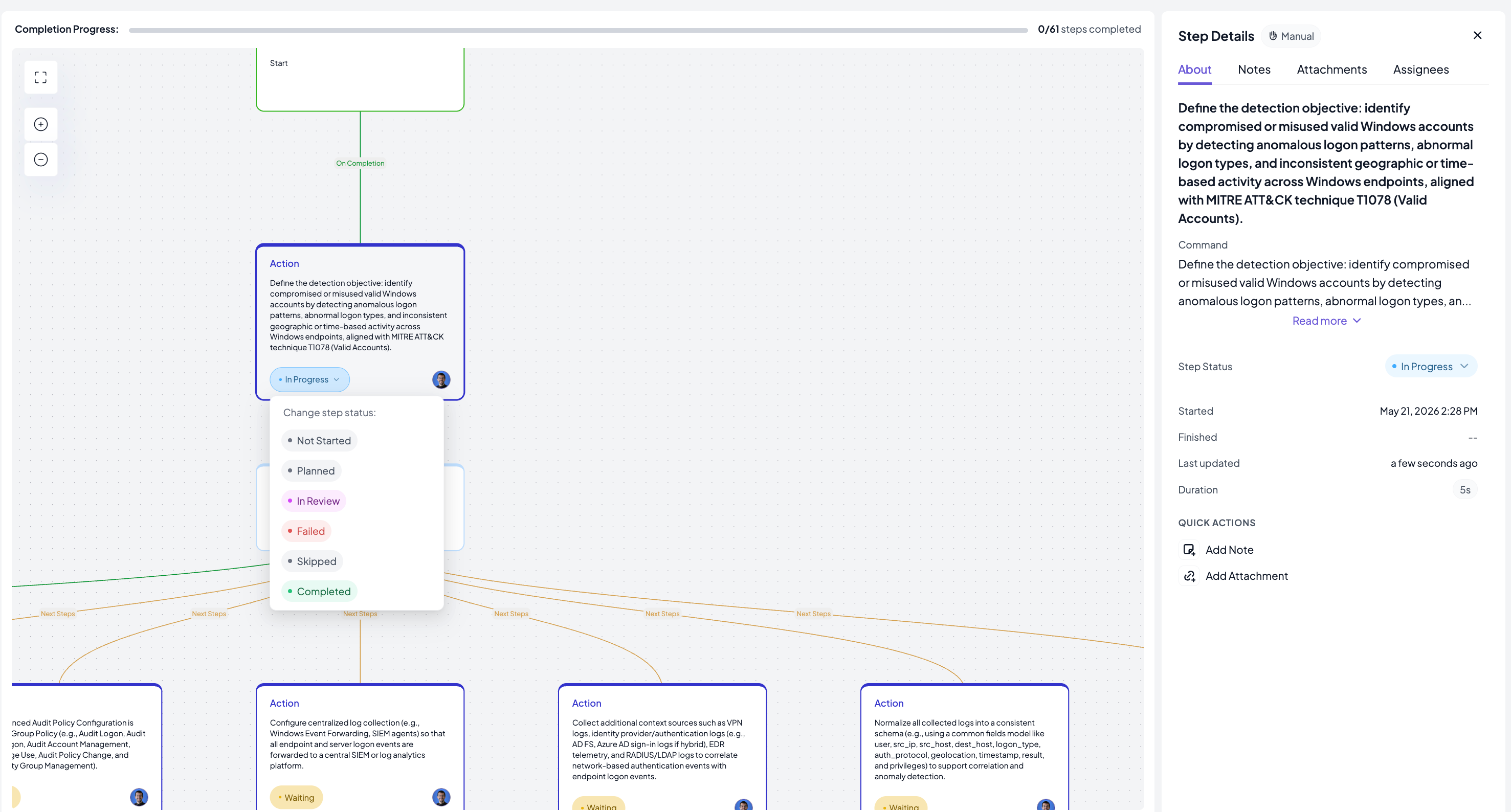
Each step is owned by a specific person from the start. As the team works through the procedure, they update step status directly in the execution editor: Not Started, Planned, In Progress, In Review, Skipped, Completed, or Failed. Skipping or failing a step requires a mandatory reason, which becomes part of the permanent record. The execution owner can reassign any unfinished step at any point, without interrupting the rest of the workflow.
Notes, attachments, and context
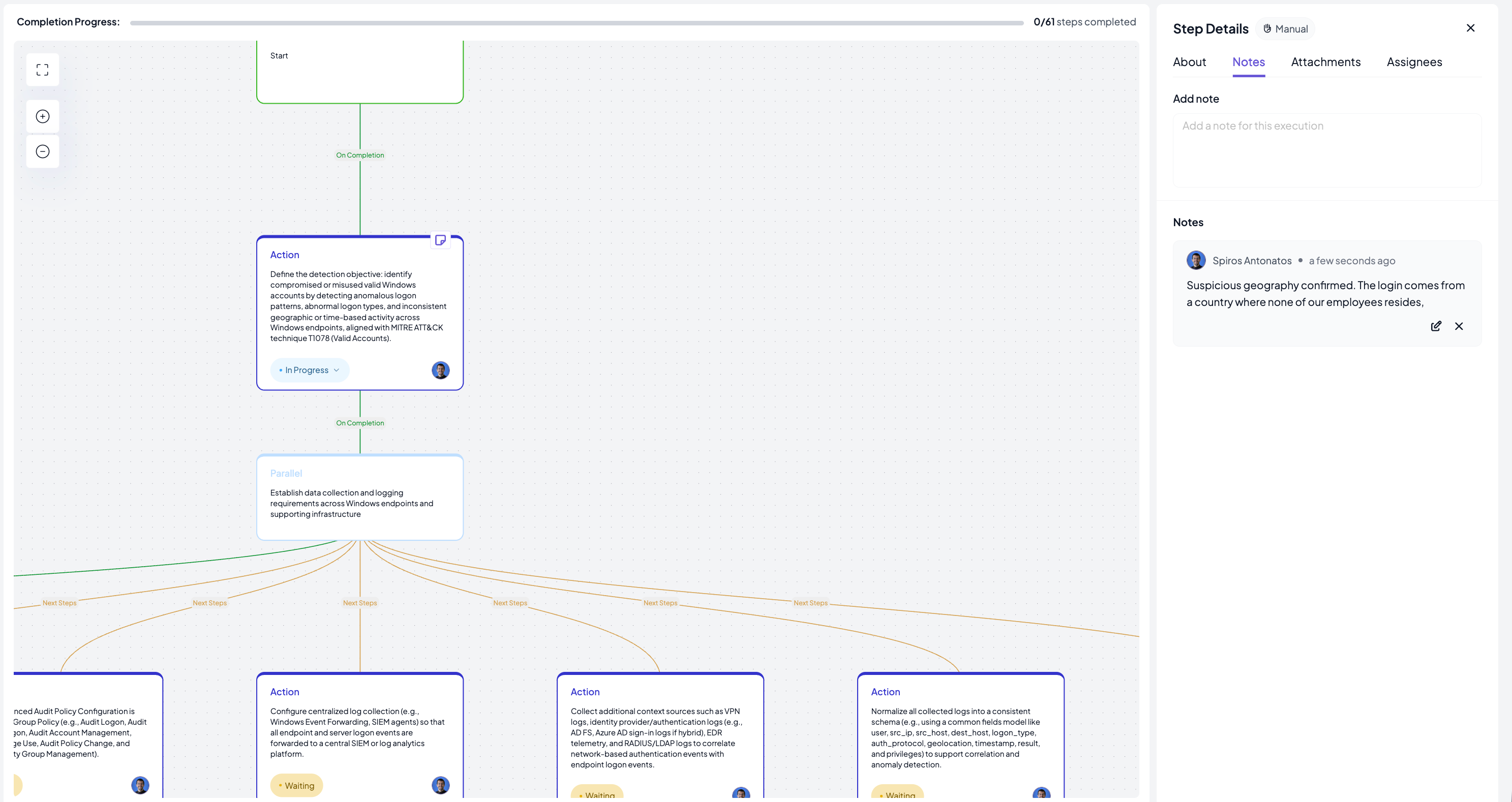
Team members can add notes and attach files at any point during the execution, at the step level regardless of where that step stands, or for the entire execution flow. Evidence, observations, or relevant context sit directly alongside the step they relate to, not in a separate document or thread.
Your personal task queue
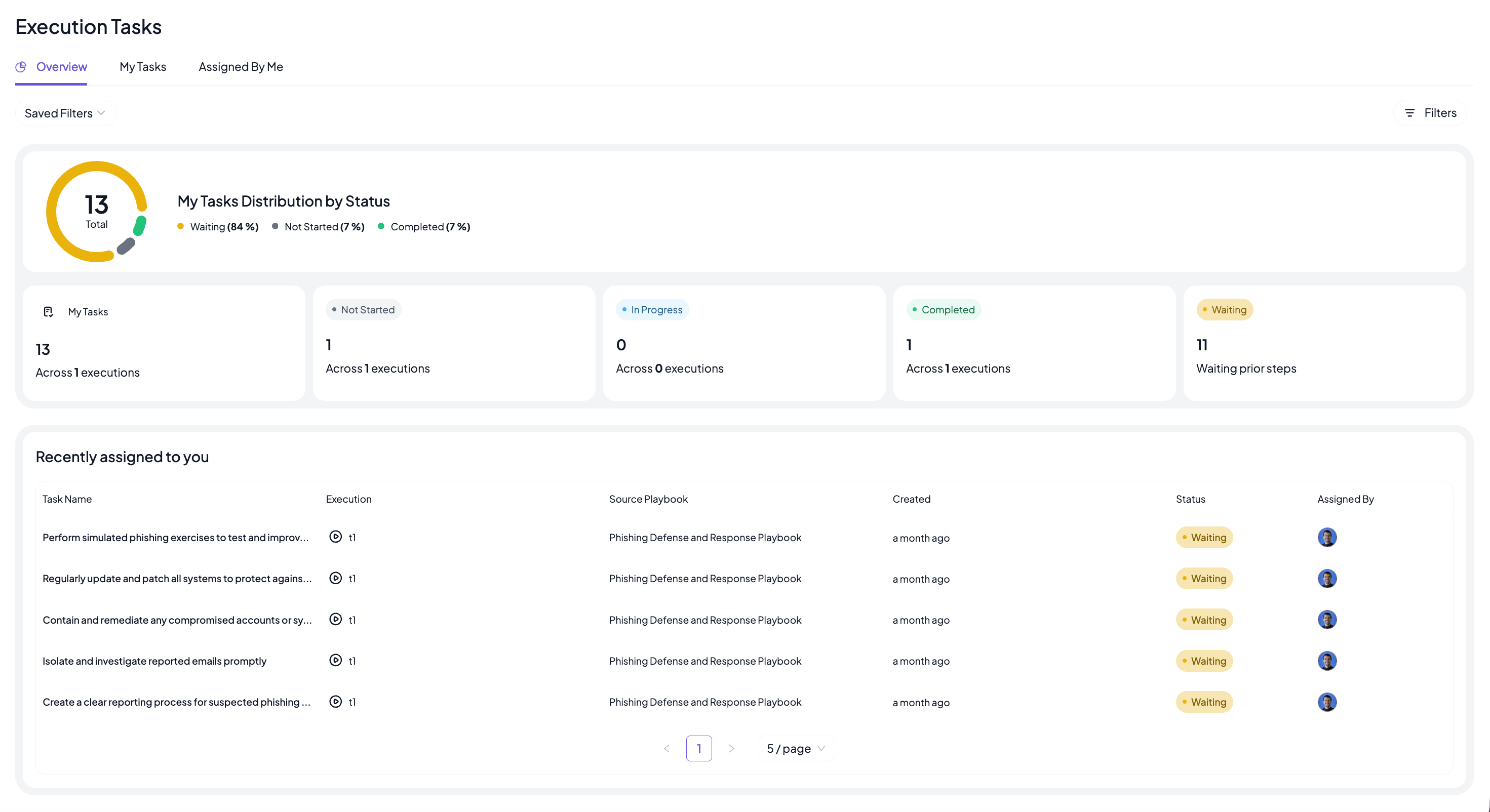
For incident responders participating in multiple concurrent executions, the Execution Tasks view provides a consolidated view of every step assigned to them across all active runs, grouped by status. It is a single place to see what you own and where each item stands, without opening each execution individually.
What Executions can do for you
Use cases
Incident response. When an alert requires a structured manual response, the team runs the relevant procedure directly in Cymph. Steps are assigned, progress is visible to everyone involved, and the record builds automatically as the work happens. There is no need to reconstruct events after the fact.
Tabletop exercises and readiness drills. The same execution capability supports structured exercises run before a real incident tests the team. Procedures are followed step by step under controlled conditions, which surfaces gaps in coverage, ownership, or timing while there is still time to address them. Running exercises through Executions also means they produce the same structured output as a real response, making it easier to compare, review, and act on what the exercise revealed.
Security operations and compliance benefits
Operational efficiency. Every participant knows what they own, and the current state of the execution is visible to everyone involved without needing to ask. When something is completed, it is marked completed. When something is skipped, the reason is recorded. There is no ambiguity about where the execution stands.
Execution insights. Across all executions, Cymph tracks performance data: average duration, slowest and fastest executions, performance by procedure and by individual step. For exercises, this tells the team what went well and what needs work before it matters for real. For real incidents, the same data informs post-incident review and helps improve how procedures are written and assigned going forward.
A complete audit record. Every action taken during an execution is captured in an immutable, timestamped audit log. When the execution closes, the resulting workbook is a structured record of the full sequence, ready to produce as evidence without any additional effort. This applies equally to incident responses and tabletop exercises.
See Executions in action
Executions gives teams a single place to run manual procedures, track every step, and close with a complete record, whether the team is responding to an active incident or running a scheduled exercise.