Introducing War Rooms: Bringing structure to Incident Response
War Rooms gives your team one place to coordinate incident response: people, procedures, chat, decisions, and evidence, recorded as you work.


A serious incident rarely fails for lack of a playbook. It fails in the space around the playbook.
Ransomware is confirmed on a file server at 02:14. Within minutes there is a chat channel, a bridge call, a shared folder and three people keeping their own notes. Someone asks who can approve taking the customer portal offline. Nobody is sure, and the person who might know is not answering. Evidence is passed around as attachments. Management wants an update every thirty minutes, and each one is written from memory.
The team gets through it. But the following week, someone has to reconstruct the timeline from chat exports, call logs, and individual notes. Even a simple question like "Who made that decision, and when?" becomes difficult to answer.
The problem isn't necessarily a lack of procedures. It's the lack of structure connecting the people, decisions, communications, and actions involved in responding to an incident.
War Rooms is built for that space.
Introducing War Rooms
War Rooms provides a central workspace for coordinating an incident from initial declaration through response, recovery, and post-incident review.
Each room brings together:
- People and responsibilities: Incident commanders, responders, internal teams, and external participants, with clear roles and visibility into who has joined.
- Procedures and executions: Multiple incident response playbooks running within the same incident, with assigned tasks and progress tracking.
- Communications: In-app chat, audio and video calls, and structured broadcasts to keep stakeholders informed.
- Decision authority: Ownership rules, approval responsibilities, and escalation paths defined before an incident.
- Evidence and activity: Files, decisions, operational actions, and an incident timeline captured as the response unfolds.
War Rooms is not another ticketing system or messaging channel. Existing IT and security operations tools can manage tickets, conversations, and individual tasks. Cymph connects those activities to the procedures teams need to execute, the decisions requiring authorisation, and the governance rules that determine who is responsible.
Cymph provides a structured environment for coordinating and documenting the response.
From incident readiness to real incident handling
Cymph already enables organisations to build, govern, test, and execute incident response playbooks.
War Rooms extends this capability from individual procedures to the incident as a whole.
A single execution is often sufficient for a focused investigation or a routine security event. Larger incidents, however, require several procedures to run in parallel, multiple teams to coordinate, and decisions to be made across organisational boundaries.
With War Rooms, the same playbooks, ownership rules, and escalation paths that organisations prepare and exercise can be used during real incidents.
Teams do not need to invent their response structure under pressure. They can work from what has already been defined, reviewed, and tested.
How War Rooms works
Starting a room
A room can be prepared ahead of time and started when the incident is declared, so every clock measures from the real start. Starting a room means naming it, setting its severity and incident type, and adding participants as individuals or whole teams. Everyone in the room have their roles.
A room is opened for a real incident or for an exercise. Exercise rooms are marked as such everywhere, including every notification they send, so a drill is never mistaken for the real thing.
One view of the incident
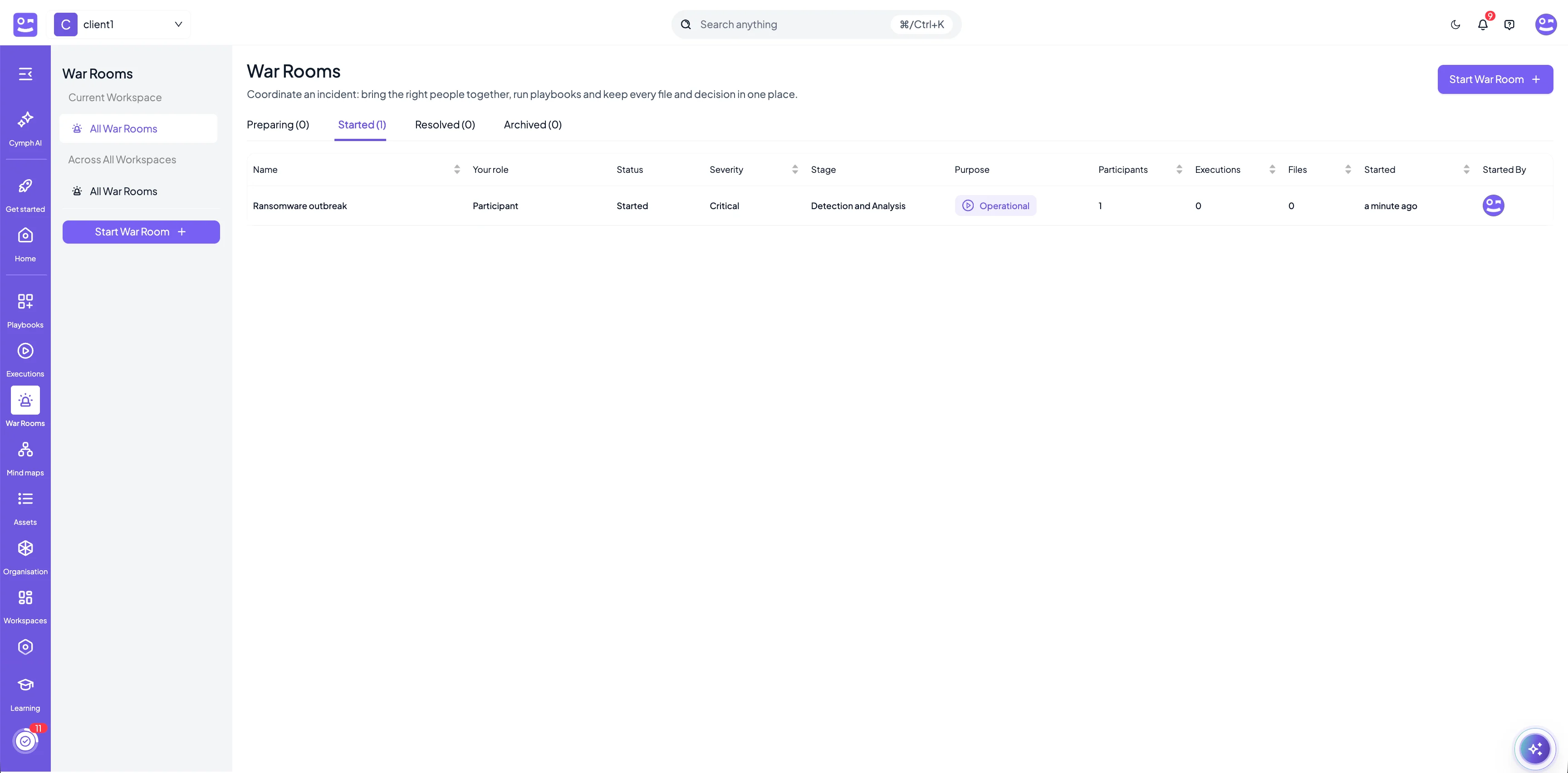
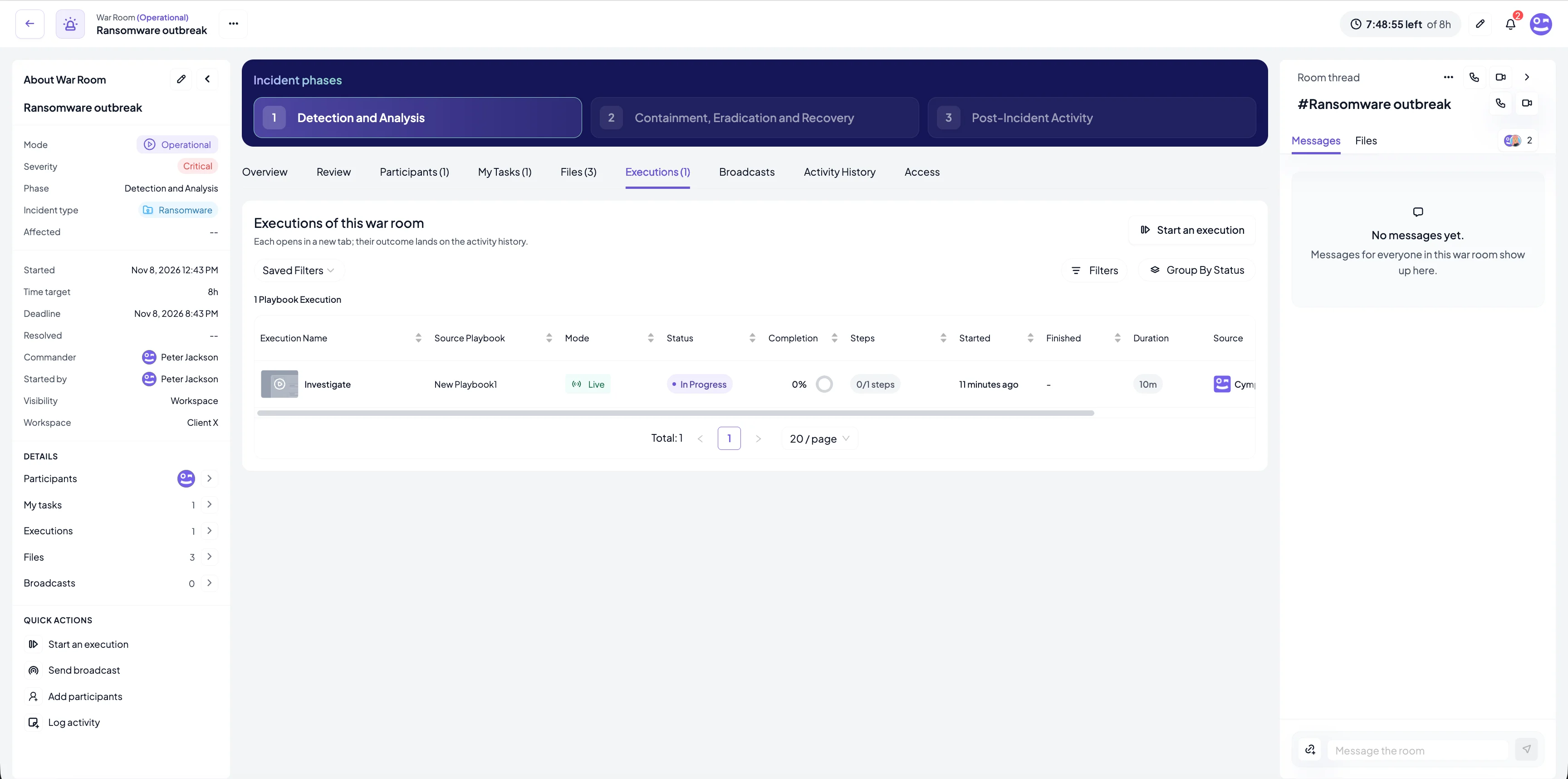
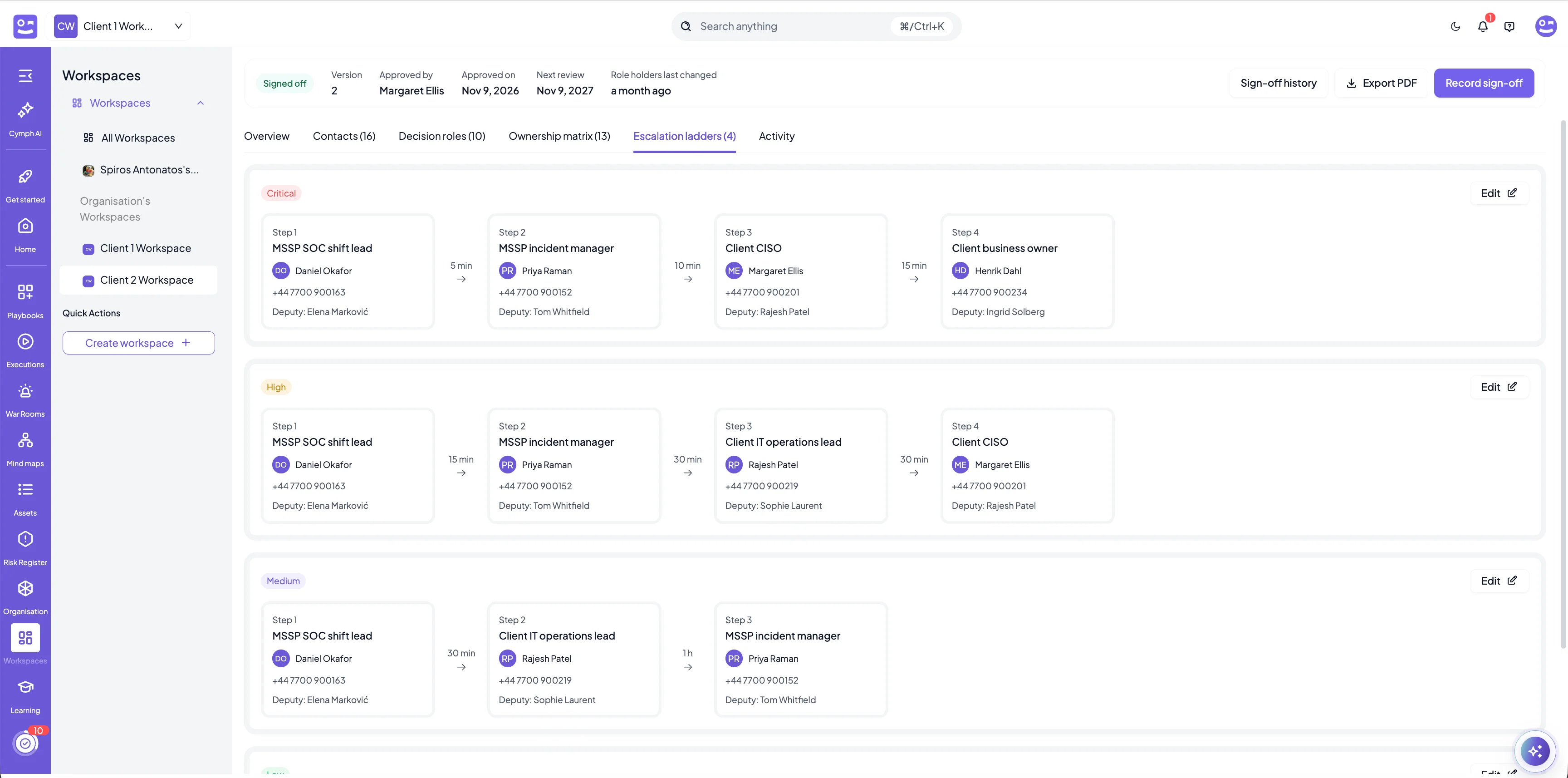
The room opens on an overview: the current phase, time in incident against the target, who has joined, the latest broadcast and the progress of every execution. A timeline shows activity, phases and executions on a single axis.
Phases follow NIST SP 800-61: Detection and Analysis; Containment, Eradication and Recovery; Post-Incident Activity. Moving between them is the commander's call, as are broadcasts, role assignments and closing the room.
Executions, files and activity
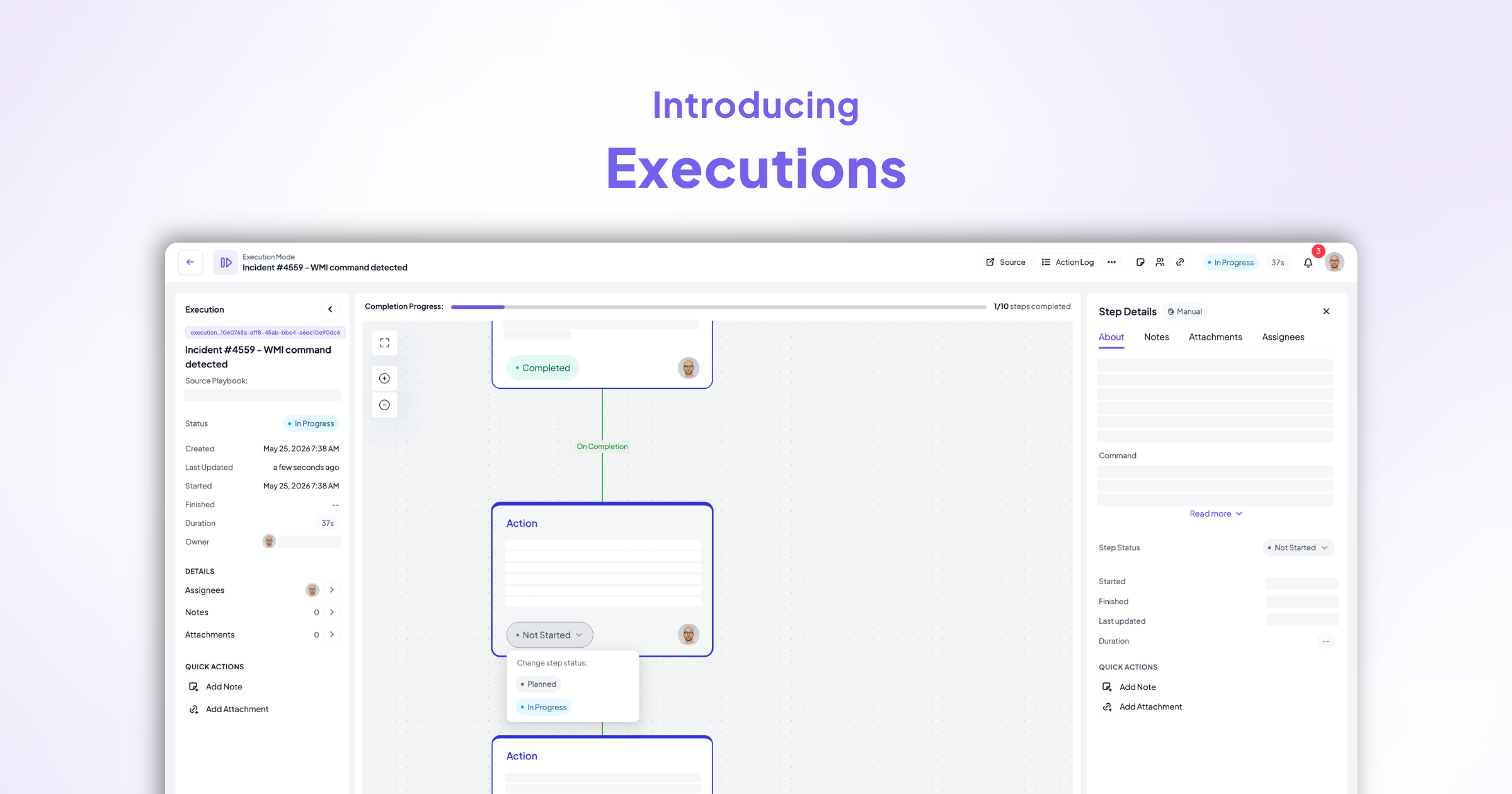
Playbooks are run from the room, and each execution stays linked to it. People who are assigned a step can join the room automatically, and each participant sees their own tasks for the incident.
Files are handled as evidence. Each one receives a SHA-256 fingerprint at upload, a TLP level and a classification, and every download is recorded as a chain-of-custody event.
The activity history records everything else: who joined, what ran, what changed, what was decided and which broadcasts went out. Participants can add their own entries with the time something actually happened.
Chat, audio and video calls
Responders should not have to leave the incident to talk about it. Every room has its own chat, with threads, reactions and file sharing, and messages can point at a specific step of an execution so that everyone knows exactly what is being discussed.
When typing is too slow, any participant can start an audio or video call from the room. There is no bridge number to circulate and no meeting link to find.
Because the conversation happens in the room, it stays with the incident. The chat transcript is part of the room's export.
Broadcasts
Chat is for the people doing the work. Broadcasts are for everyone who needs to know how it is going.
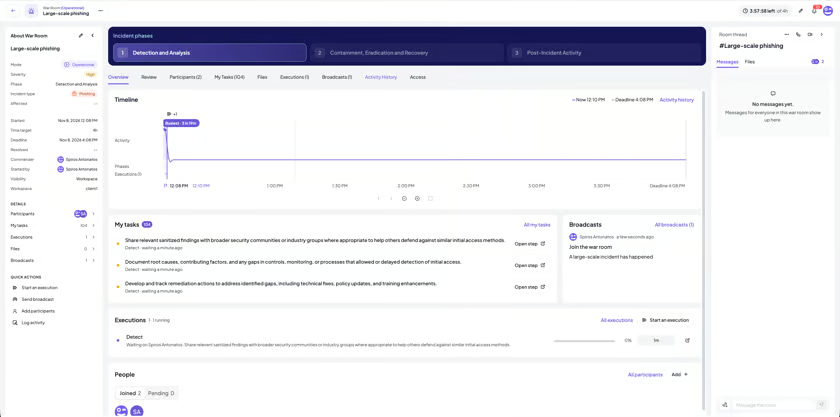
The Incident Commander sends a broadcast from the room and it reaches every participant in-app, by email and by SMS, so an update gets through even to someone who is away from their screen. A broadcast can also go to people outside the room, such as executives, a customer contact or a regulator liaison, by email address or phone number, and be announced in Slack or Microsoft Teams.
Each broadcast can carry a commitment to the time of the next one. The room counts down to it and flags it when it is overdue, so "we will update you in thirty minutes" is a promise the room helps to keep.
Ownership & Escalation: who decides, and who to call
The hardest questions in an incident are rarely technical. Who can approve isolating a production system? Who notifies the regulator? If the on-call lead does not answer, who is next?
The Ownership & Escalation matrix answers those questions before the incident, once per workspace:
- Contacts. The people involved in response, inside and outside the organisation, with their numbers in call order. External contacts are re-verified periodically so the list does not go stale.
- Decision roles. Named roles such as Service Owner or Legal Counsel, each with a holder and a deputy.
- Ownership matrix. The decisions that matter, the role that owns each one, the roles to be informed and whether the action is pre-authorised.
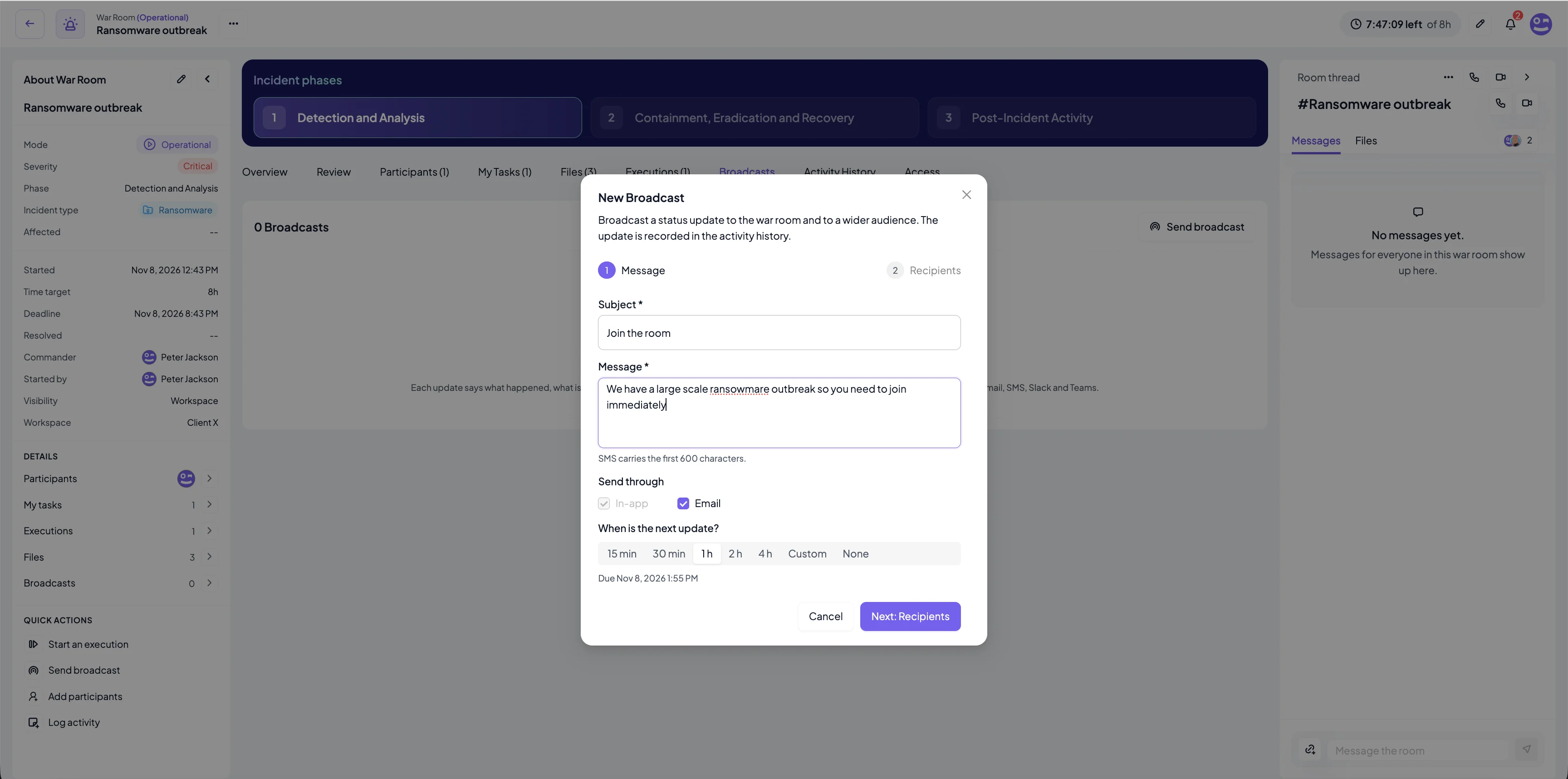
- Escalation ladders. For each severity level, the order in which roles are called and how long to wait before moving to the next.
The matrix can be exported, agreed with the business or the customer, and recorded as a signed-off version with an approver, a date and a review date. Risk signals flag what needs attention: a decision with no owner, a role with no deputy, a matrix that has changed since it was signed off.
During an incident, the rules are where the work is. The war room shows the escalation ladder for its severity, with current holders and phone numbers, and records which signed-off version was in force. Playbook steps can be tied to a decision. When a responder reaches one, Cymph asks on what basis they are proceeding: pre-authorised, approved by the role holder or deputy, or overridden with a reason. The answer is recorded on the execution and on the room's history.
What War Rooms can do for you
Use cases
Major incident response. One room for the SOC, IT, legal and communications, with clear command, chat and calls in one place, a live picture of progress and a record that builds itself.
Managed security services. One workspace per customer, each with its own agreed matrix and ladders. Analysts know who to call at the customer and which actions they may take without asking.
Sensitive investigations. A room can be restricted so that only its participants can see it, administrators included. External parties such as an incident response retainer or outside counsel can be invited as guests with an expiry date.
Exercises. Run a test in the same room, with the same playbooks and the same matrix as a real incident, and find the missing deputy before it matters.
Security operations and compliance benefits
Clear authority under pressure. Command, decision ownership and escalation paths are defined in advance and visible in the room, not remembered or guessed.
Communication that stays with the incident. Chat, audio and video calls happen in the room, and broadcasts keep stakeholders informed on a schedule, by the channel that reaches them.
Evidence you can stand behind. Fingerprinted files, chain of custody and a complete activity history hold up in front of auditors, insurers and regulators.
A review that starts from facts. Moving to Post-Incident Activity opens a guided review with the incident's key timings already calculated, and lessons learned flow back into the playbooks.
One archive. A room exports as a single package: the activity history, the chat transcript, every file, a report per execution and the escalation ladders that applied.
See War Rooms in action
War Rooms gives your team a single place to run an incident: the people, the procedures, the conversations, the evidence and the decisions, with the record written as the work is done.
Ready to see it live? Book a demo.